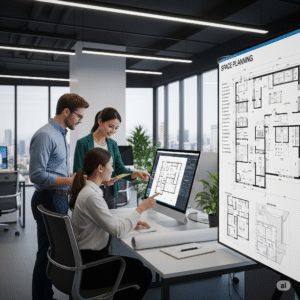

In the fast-paced world of architecture, interior design, and office planning, professionals are constantly expected to visualize, design, and execute functional spaces that are both beautiful and efficient. Whether designing a cozy studio apartment or a corporate headquarters, one critical element remains central to success: space planning.
Thanks to advances in technology, designers today have access to a wide range of space planning tools that make their jobs easier, faster, and far more accurate. These tools allow for 2D and 3D visualizations, seamless collaboration, furniture placement, and even real-time material selection.
In this blog, we’ll explore the five most powerful and widely used space planning tools that every designer should know about, with a detailed look at their features, benefits, and ideal use cases.
What Are Space Planning Tools?
Before we dive into the top tools, it’s essential to understand what space planning tools actually are.
Space planning tools are digital applications or software platforms that allow designers, architects, or planners to create accurate layouts of physical spaces. They help in:
- Drawing floor plans
- Visualizing 3D environments
- Testing furniture arrangements
- Simulating traffic flow
- Collaborating with clients and teams
- Making data-driven design decisions
These tools help bridge the gap between concept and execution, saving time and reducing costly errors in real-world builds.
Top 5 Space Planning Tools for Designers
Let’s explore the most essential tools in the space planning world that are helping designers shape the environments of tomorrow.
1. SketchUp – The Versatile 3D Modeling Powerhouse
Ideal for: Architects, Interior Designers, Space Planners, Contractors
🔹 Overview:
SketchUp is one of the most popular 3D modeling tools used in architecture and interior design. It offers an intuitive interface that enables both beginners and professionals to create accurate, detailed, and scalable models of real spaces.
🔹 Key Features:
- Easy drag-and-drop interface for creating walls, rooms, and objects
- Access to 3D Warehouse – a massive library of pre-built models (furniture, fixtures, etc.)
- Detailed rendering with plugins like V-Ray
- Compatibility with CAD and BIM software
- Cloud collaboration via Trimble Connect
🔹 Why It’s Great for Space Planning:
SketchUp excels at visualizing spatial relationships. Whether you’re designing an open-concept office or a studio apartment, SketchUp allows you to simulate lighting, adjust dimensions, and test configurations in a dynamic 3D environment.
🔹 Pricing:
- Free basic version (web-based)
- Pro version: ~$299/year
2. AutoCAD – The Industry Standard for 2D Precision
Ideal for: Architects, Draftsmen, Space Planners, Engineers
🔹 Overview:
Developed by Autodesk, AutoCAD is a go-to tool for drafting 2D floor plans with exceptional accuracy. It’s widely used in architecture, engineering, and construction industries for detailed blueprints and technical drawings.
🔹 Key Features:
- Advanced 2D drafting and annotation tools
- Support for layers, line weights, and custom blocks
- Ability to generate construction documentation
- Integration with other Autodesk products (like Revit and 3ds Max)
- Real-time collaboration and file-sharing
🔹 Why It’s Great for Space Planning:
When you need precision and control, especially for large commercial projects or custom builds, AutoCAD offers tools that ensure every wall, doorway, and column is in the right place. It’s also a top choice for teams working with contractors and engineers.
🔹 Pricing:
- Starts at ~$245/month or ~$1,975/year
3. Floorplanner – User-Friendly Space Planning for Quick Results
Ideal for: Interior Designers, Real Estate Agents, Homeowners, Small Businesses
🔹 Overview:
Floorplanner is a web-based application that makes it easy to create 2D floor plans and turn them into interactive 3D spaces. It’s one of the most user-friendly tools on the market and doesn’t require any technical background.
🔹 Key Features:
- Drag-and-drop interface for furniture and layouts
- Instant switch between 2D and 3D views
- Pre-designed templates and furniture libraries
- Great for quick mockups and real estate presentations
- Shareable links for client collaboration
🔹 Why It’s Great for Space Planning:
If you’re looking to visualize a layout quickly, without diving into complex CAD tools, Floorplanner is ideal. It’s especially useful for early design stages, concept development, or for presenting space ideas to clients.
🔹 Pricing:
- Free for basic use
- Premium starts at ~$5/month for individuals
4. Planner 5D – Design Without a Learning Curve
Ideal for: Interior Designers, Freelancers, Hobbyists
🔹 Overview:
Planner 5D is a highly visual space planning tool that focuses on simplicity and accessibility. It’s perfect for designers who need to whip up designs quickly for presentations or concept development.
🔹 Key Features:
- Realistic HD 3D rendering
- AI-based layout suggestions
- Virtual walkthroughs
- Vast catalog of décor and furniture items
- iOS, Android, and Web compatibility
🔹 Why It’s Great for Space Planning:
Planner 5D is great for creating realistic visualizations of living rooms, kitchens, offices, and more. While it doesn’t offer technical precision like AutoCAD, it shines in client presentations and brainstorming sessions.
🔹 Pricing:
- Free version available
- Premium access: Starts at ~$6.99/month
5. Revit – The BIM-Driven Solution for Integrated Space Planning
Ideal for: Architects, Large Design Firms, Construction Professionals
🔹 Overview:
Autodesk Revit is a Building Information Modeling (BIM) tool that goes far beyond basic space planning. It allows users to design, simulate, and manage buildings and infrastructure with comprehensive detail.
🔹 Key Features:
- Full 3D modeling with integrated structural and MEP systems
- Real-time collaboration across teams
- Intelligent components (doors, walls, windows) that update dynamically
- Scheduling and data analysis built into the model
- Seamless integration with AutoCAD and other BIM software
🔹 Why It’s Great for Space Planning:
Revit isn’t just about drawing walls—it’s about creating intelligent, data-driven models that reflect real-world building behavior. It’s best suited for large projects where collaboration, accuracy, and scalability are essential.
🔹 Pricing:
- Starts at ~$350/month or ~$2,805/year
How to Choose the Right Space Planning Tool
With so many powerful tools available, how do you decide which is best for your needs?
Consider These Factors:
- Project Scale – Are you designing a home office or a hospital?
- Skill Level – Do you need a simple drag-and-drop interface or full CAD functionality?
- Client Involvement – Will clients be reviewing and interacting with layouts?
- Integration Needs – Do you need to connect with BIM systems or construction workflows?
- Budget – Are you looking for free software or a high-end enterprise solution?
Pro Tip: Many professionals use a combination of tools—for instance, SketchUp for 3D modeling and AutoCAD for technical drawings.
Why Space Planning Tools Matter More Than Ever
In today’s workplace and living environments, design decisions impact everything from health and productivity to energy usage and brand perception.
With hybrid work, flexible office models, and increased focus on wellness design, space planning tools empower designers to:
- Make informed decisions based on real data
- Present ideas with clarity and realism
- Collaborate seamlessly with global teams
- Reduce design errors and rework
- Save time and money on each project
Conclusion: Master Your Design Game With the Right Tool
Choosing the right space planning tool is a game-changer for any designer. Whether you need 2D precision, 3D visualization, or a full-scale BIM system, there’s a solution that fits your workflow and budget.
Incorporate one (or more) of these five tools into your design arsenal, and you’ll be better equipped to plan, pitch, and execute successful spaces in any industry.